
Introduction
Have you ever picked up a gadget and thought, Wow, this could actually replace my laptop? That’s exactly what happened when I first tried the iPad Pro M1 Chip. Gone are the days when tablets were just for scrolling, streaming, or doodling. Now, Apple’s powerhouse M1 processor-yes, the very same chip that drives the MacBook Pro-transforms the iPad into a creative and professional juggernaut.
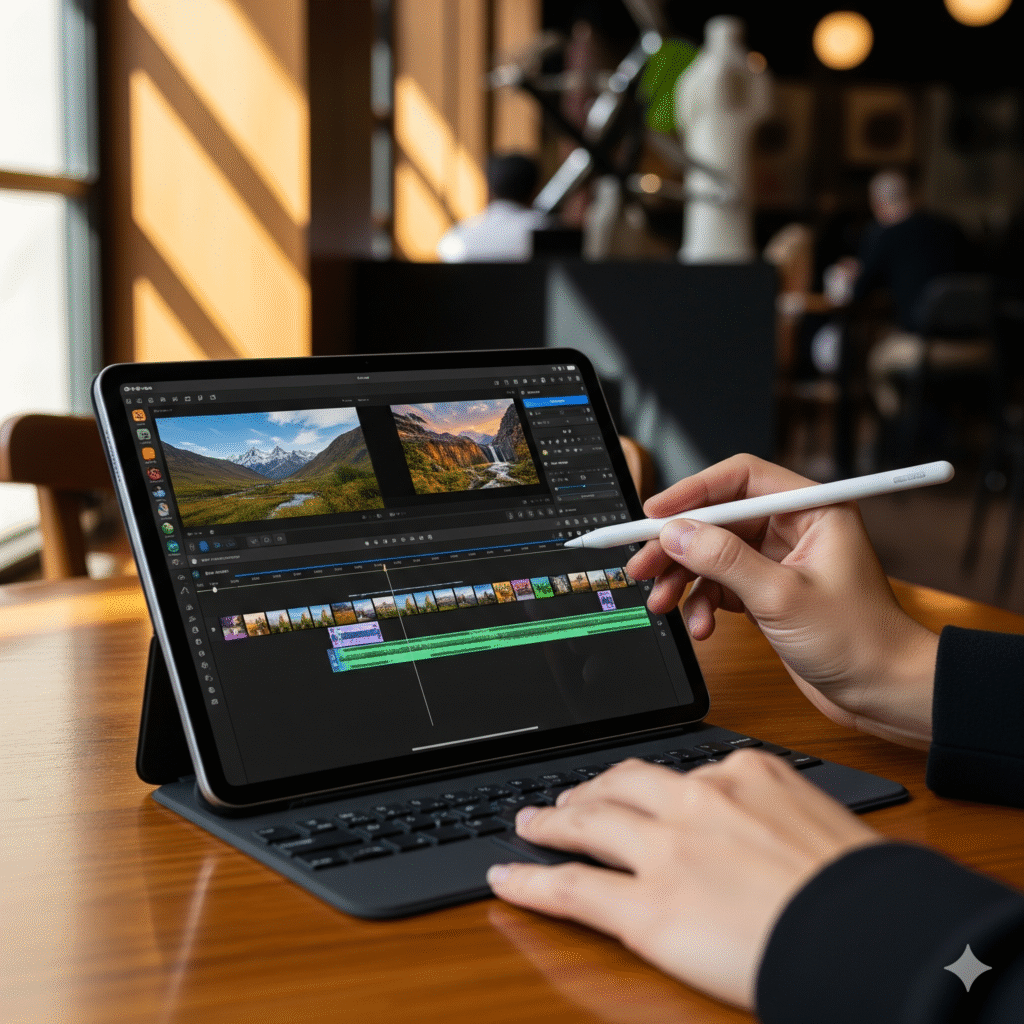
I remember sitting at my favorite café, editing a 4K video on this tablet while sipping my cappuccino, and feeling an odd mix of disbelief and delight. The video rendered faster than my old laptop ever could. If you’re someone who juggles creativity, work, and mobility, this device might just change how you approach your day-to-day workflow.
Why Tablets Fell Behind-And How the M1 Changes Everything
For years, tablets were the “lite” version of laptops. You could browse the web, watch videos, or jot down notes-but anything more demanding felt impossible. Heavy editing? Forget it. Multitasking? Limited. Gaming? Cramped.
Even my friend, a graphic designer, would switch constantly between her laptop and older iPad just to complete projects. It was exhausting.
Enter the iPad Pro M1. Suddenly, that gap disappeared. Tasks that used to make you groan-like 4K video editing, multitasking with multiple apps, or rendering complex graphics-now run smoothly. And thanks to the M1 chip’s efficiency, it doesn’t feel like a compromise; it feels like liberation.
Getting the Most Out of Your iPad Pro M1
Owning this tablet is one thing-but using it to its full potential is another. Here’s what I’ve discovered:
- Pick the Right Specs
- Storage: 128GB to 2TB depending on your workload
- RAM: 8GB for everyday tasks, 16GB if you’re a pro multitasker
- Size: 11-inch for portability, 12.9-inch Liquid Retina XDR for cinematic visuals
- Storage: 128GB to 2TB depending on your workload
- Harness Pro Apps
- Adobe Photoshop and Lightroom now run natively
- LumaFusion makes video editing a breeze
- Procreate + Apple Pencil unlocks precision and creativity like never before
- Adobe Photoshop and Lightroom now run natively
- Accessories Elevate Productivity
- Magic Keyboard: Adds typing comfort and trackpad control
- Apple Pencil 2: Essential for sketching, note-taking, and editing
- USB-C/Thunderbolt Hub: Connect external drives, SD cards, or monitors
- Magic Keyboard: Adds typing comfort and trackpad control
- Optimize Battery and Performance
- Low Power Mode for extended on-the-go usage
- Close unused apps to free up resources
- Keep iPadOS updated for the latest performance improvements
- Low Power Mode for extended on-the-go usage
I personally took this tablet on a short hiking trip, editing and exporting photos while perched on a rock overlooking a valley. The combination of portability and raw power made me wonder why I’d ever carry a laptop again.
How It Stacks Up: iPad Pro M1 vs. Competitors
| Device | Processor | Display | Portability | Best For |
| iPad Pro M1 | Apple M1 | Liquid Retina XDR | Extremely portable | Creatives, power users |
| MacBook Pro M1 | Apple M1 | Retina | Less portable | Traditional desktop workflows |
| Surface Pro 8 | Intel i7 | PixelSense | Portable | Windows users, business apps |
| Samsung Galaxy Tab S8 Ultra | Snapdragon 8 Gen 1 | AMOLED | Portable | Media consumption, Android ecosystem |
While the MacBook Pro is a heavyweight champion of desktop tasks, the iPad Pro M1 uniquely combines mobility and high-end performance. Creative workflows, touch input, and Apple Pencil integration make it a productivity companion that’s also a delight to use.
Real-Life Benefits You’ll Actually Notice
Here’s what owning an M1 iPad Pro really feels like day-to-day:
- Creativity Unleashed: Sketch, paint, edit, and design without the limitations of old tablets.
- Professional Video Editing: 4K and 8K workflows in LumaFusion feel smooth and responsive.
- Multitasking Made Simple: Split-screen and app switching is buttery-smooth with iPadOS 15+.
- Gaming Freedom: Apple Arcade and intensive games run beautifully thanks to M1 graphics.
- Portable Productivity: Meetings, classes, or remote work feel effortless, especially when paired with Magic Keyboard.
In Newyork, I noticed several photographers switching from heavy laptop rigs to the iPad M1-only setup for travel shoots. The sheer weight savings and performance boost were game-changing.
Expert Opinion
Dieter Bohn of The Verge explains:
“The iPad Pro with M1 is the first tablet that can truly replace a laptop for many users. Apple has managed to pack desktop-class performance into a form factor that is remarkably light and versatile.”
For more details on features and benchmarks, check out Apple’s official iPad Pro page.
FAQs
Q: Can the iPad Pro M1 fully replace a MacBook?
For many users, yes. It handles video editing, graphic design, coding, and multitasking. Some niche desktop apps may still require macOS, though.
Q: Is the Apple Pencil 2 worth it?
Absolutely. For designers, note-takers, or anyone needing precision, it transforms the iPad into a professional tool.
Q: How long does the battery last during heavy use?
Approximately 10 hours, slightly more for lighter browsing or media consumption.
Q: Can I connect an external monitor?
Yes—USB-C or Thunderbolt allows up to 6K displays, perfect for dual-monitor setups.
Q: How does it compare to the Surface Pro 8?
iPad M1 excels in creative apps and graphics performance; Surface Pro 8 offers a full Windows environment for legacy software.
Conclusion
The iPad Pro M1 Chip isn’t just a tablet-it’s a professional workstation you can carry in your backpack. MacBook-level performance, stunning Liquid Retina XDR display, and Apple Pencil integration make it a versatile tool for creatives, students, and professionals alike.
Investing in this iPad isn’t just about owning a device; it’s about upgrading your workflow, creativity, and flexibility. If you’ve ever wished your tablet could do more than just browse or stream, the iPad Pro M1 proves it can-and then some.